
Which filters are available to me in the “Employees” section?
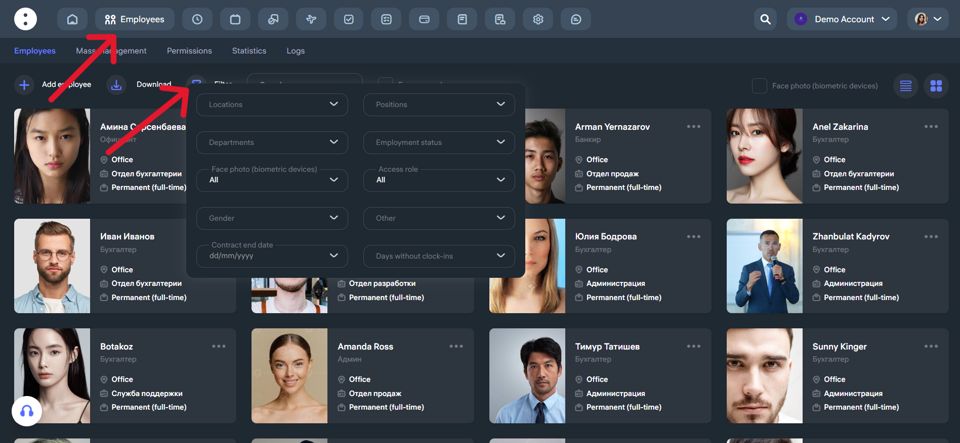
In the “Employees” section, you have access to advanced filters that allow you to efficiently manage the employee list and quickly find the information you need.
Here are the available filters:
Main Filters:
Locations — select employees working in a specific branch or city.
Positions — filter by specific job roles, such as “waiters” or “managers.”
Departments — search by department, for example “Kitchen,” “Office,” or “Marketing.”
Employment Status — full-time, contract-based, etc.
Access Role — filter by system access level: administrator, employee.
Face Photo (for biometric devices) — filter employees who have or haven’t uploaded a biometric photo.
Gender — male, female.
Contract End Date — helps track when employment contracts are set to expire.
Days Without clock-ins — view employees who haven’t made any attendance marks during the selected period.
Other — includes additional filtering options.
You can apply multiple filters at once to narrow down your search and quickly find the right employees. This is especially useful when managing a large workforce.
Updated at