
Where can I see my colleagues’ birthdays?
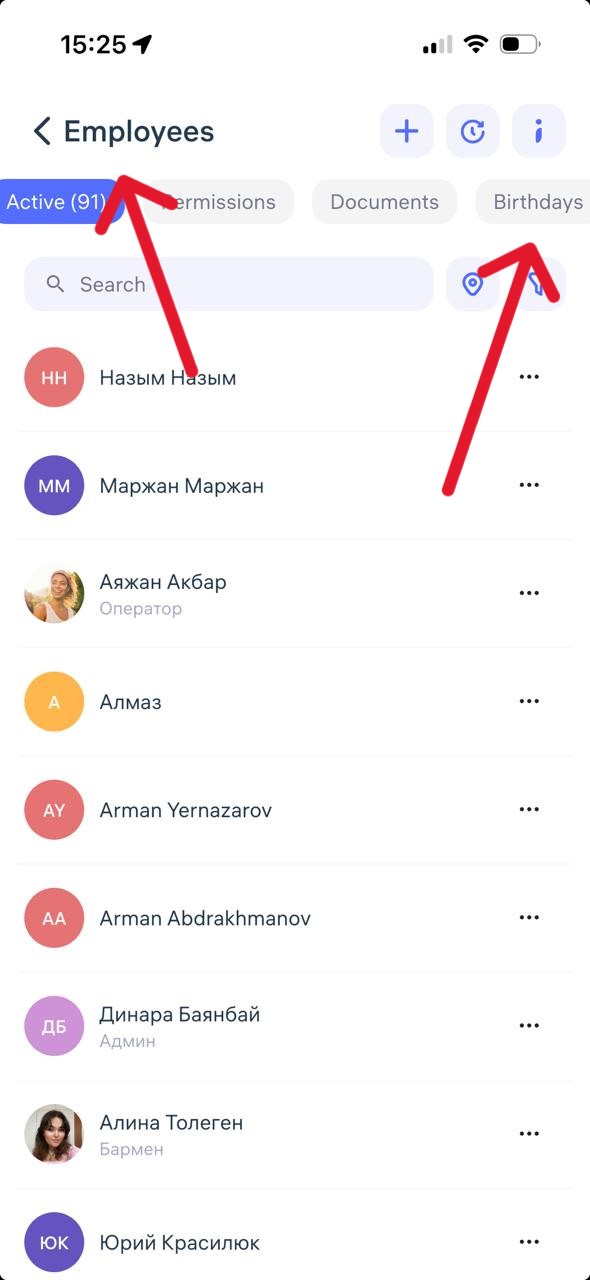
You can view your colleagues’ birthdays in the Clockster mobile app under the “Employees” section, in the “Birthdays” tab.
This section only shows upcoming birthdays, and the page is automatically updated on a regular basis.
If you don’t see the “Birthdays” tab, it’s possible that you don’t have permission to access this information. In that case, please contact your administrator to check whether you have access to the “Employees” section.
How can I view the list of upcoming birthdays in the web version?
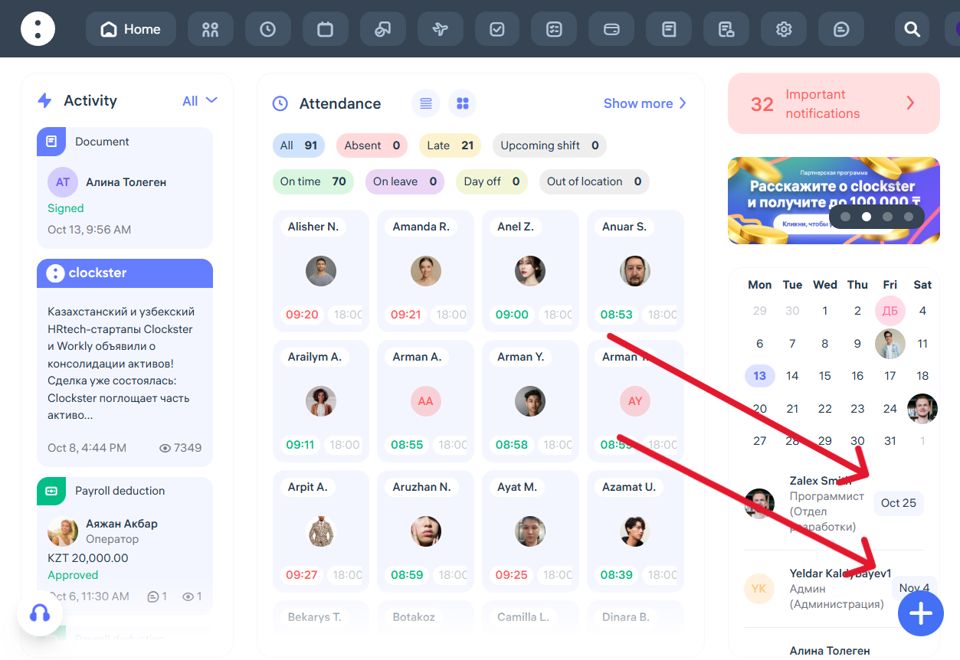
Location: Right panel of the main screen (Clockster web version).
Display format:
Calendar icon labeled “Birthdays.”
List of employees with upcoming birthdays.
The date (e.g., Oct 25 or Nov 4) is shown to the right of the name.
The employee’s photo and position are also displayed.
Additional features:
You can switch months in the calendar to view future birthdays.
Clicking on an employee’s name may open their profile card (depending on access permissions).
In the mobile app:
Open the Clockster app and go to the Employees section.
At the top of the screen, select the Birthdays tab (located to the right of the Permissions and Documents tabs).
A list of all employees with upcoming birthdays will appear, showing the month and date.
Additional notes:
The birthday filter helps you remember to congratulate colleagues and is especially useful for HR and team leads.
The list is displayed in chronological order, starting with the nearest dates.
If you don’t see the Birthdays tab, make sure you have the latest version of the app installed.