
Where can I get the “Invitation code”?
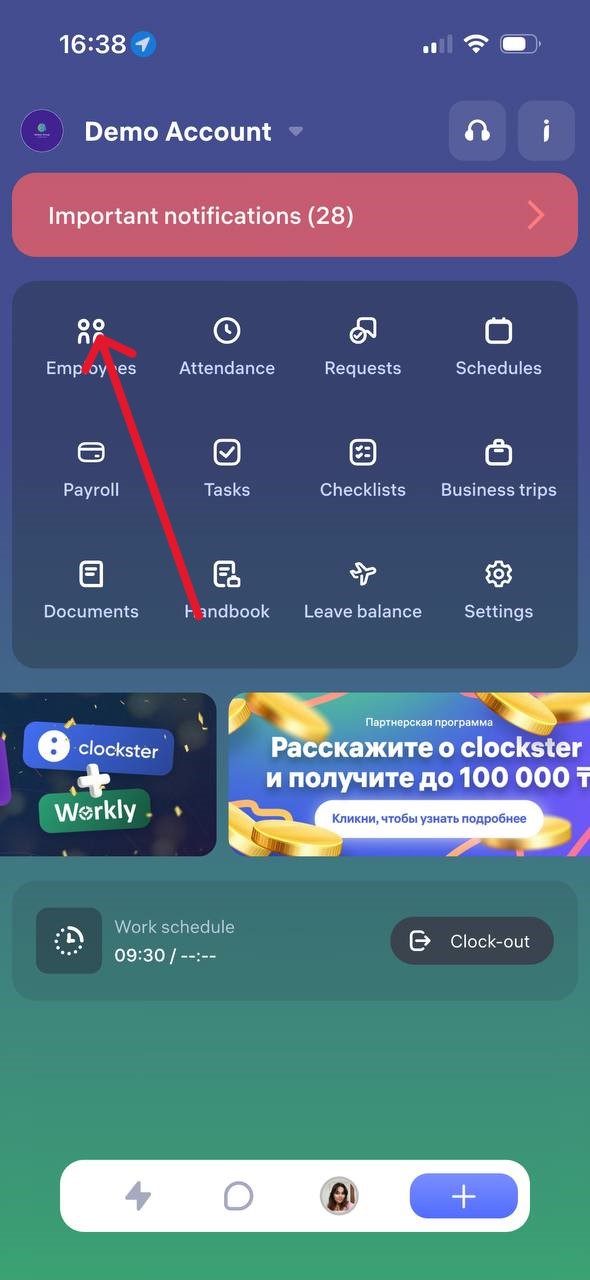
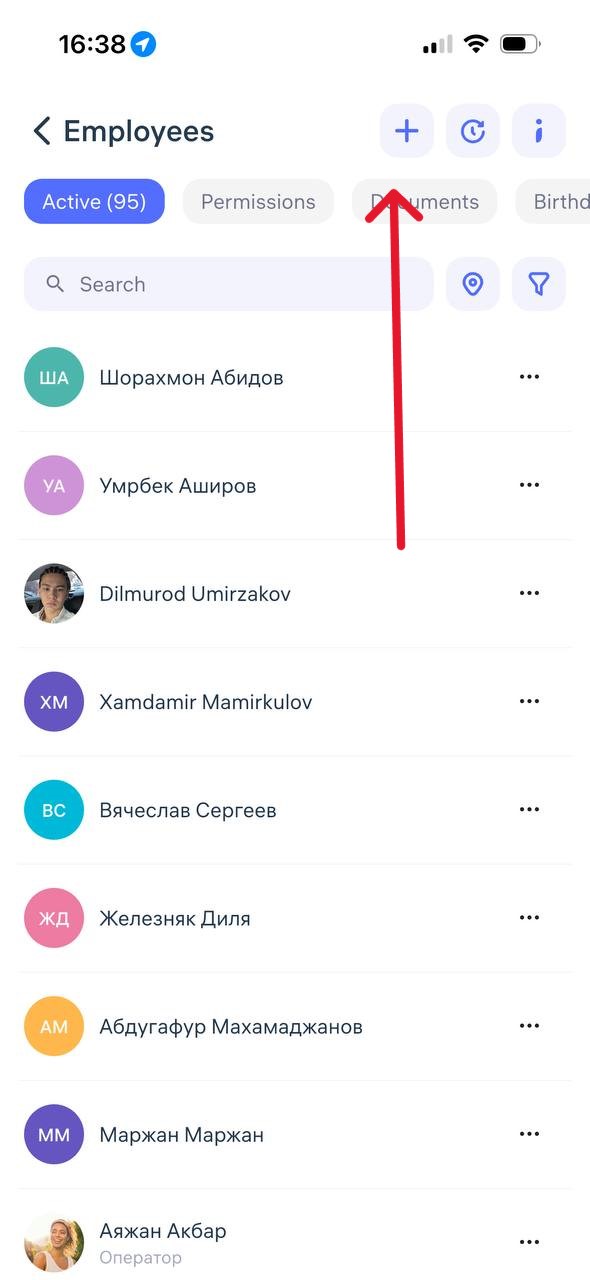
Where to find the “Invitation Code”
The invitation code is generated when adding a new employee in the Clockster mobile app.
To get it:
Open the Clockster app and go to the Employees tab.
Tap the “+” button in the top-right corner of the screen to add a new employee.
After filling in the employee’s details, an invitation code will appear — you can copy it or send it to the employee via any convenient method.
The employee must use this code during registration to join your company.
Note:
The code updates automatically every 2–3 weeks.
If an employee hasn’t used it in time, simply return to this section and resend the new code.
Updated at