
How to set up a company logo?
To upload your company logo in Clockster, follow these steps:
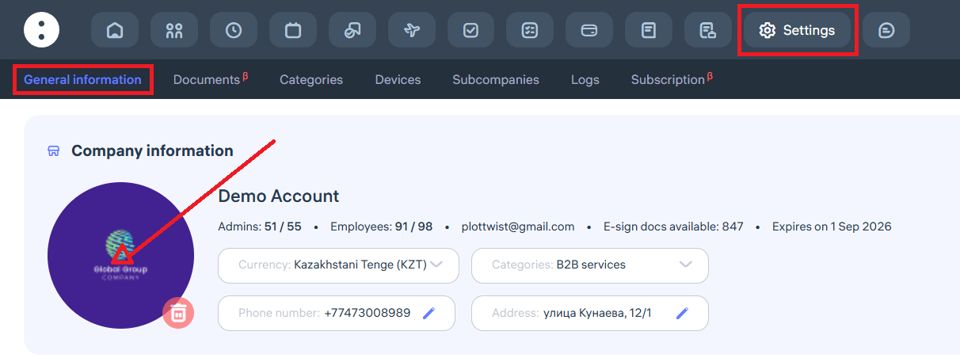
Go to:
Settings →General InformationClick the “+” button:
On the company settings page, you’ll see a “+” button on the left side of the screen if no logo has been uploaded yet. Click it to add your logo.Upload the logo:
In the pop-up window, click the logo icon and select an image from your device. If a logo is already uploaded and you want to replace it, click the delete (trash bin) icon first, then click “+” to upload a new one.
Image requirements:
Format: JPG, JPEG, or PNG
File size: up to 1 MB
Recommendation: Use a circular image for best display quality
Updated at