
How do I create a day off/holiday/sick day schedule? / Leave schedule
You can create a leave schedule in Clockster in three ways:
1. Manually via the web version
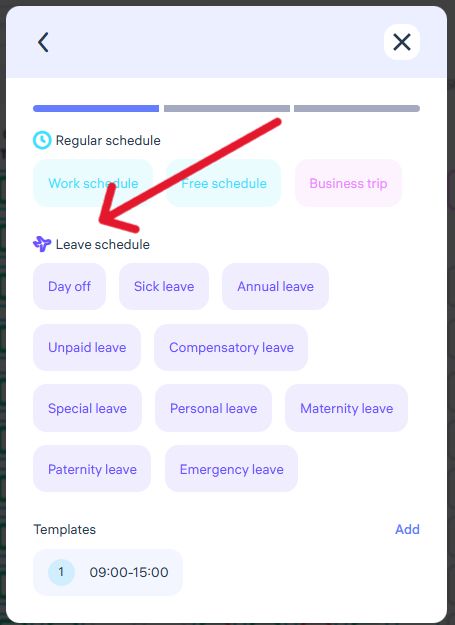
Go to the Schedules section, click + Add Schedule, and select Leave Schedule, specifying the reason (for example, Day Off, Sick Leave, etc.).
2. Using hotkeys in the web version
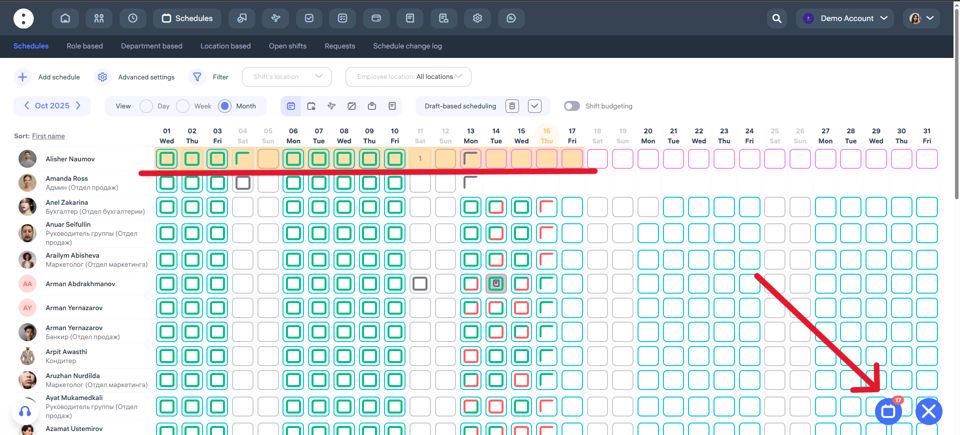
Hold Ctrl / Cmd and select several cells with the desired dates or hold Alt for choosing period. Then click the button in the lower right corner of the screen to create a leave schedule in bulk, selecting the appropriate reason.
3. Through the mobile app (employee request)
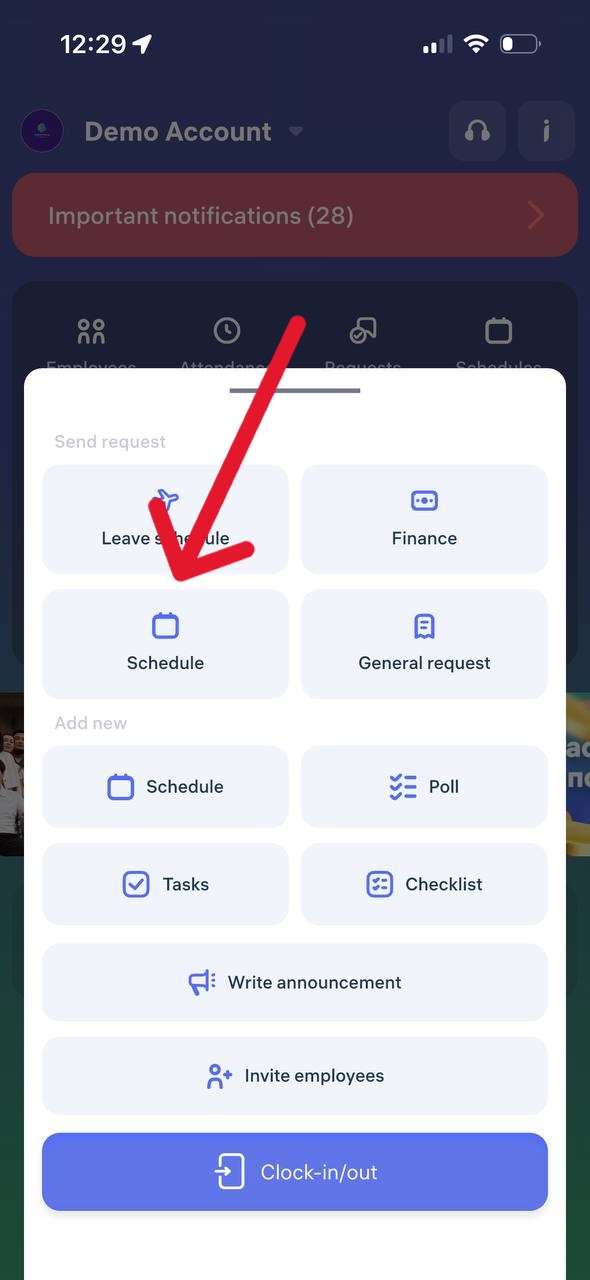
An employee can independently send a leave request through the app by choosing the appropriate category (for example, Sick Leave, Day Off, etc.). After approval by the administrator, the data will automatically appear in the schedule.
Updated at