
Reports
Where to Find It
Log in to your Administrator account.
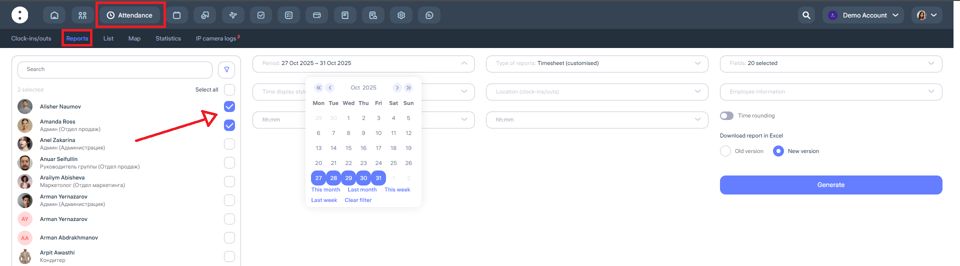
In the top bar, go to the “Attendance” section, then select “Reports” from the menu below.
Choose the employees for whom you want to generate the report. Use filters to quickly search by location, department, or other categories.
Be sure to specify the time period for generating the report.
In the “Report Type” section, Clockster offers 7 types of reports:
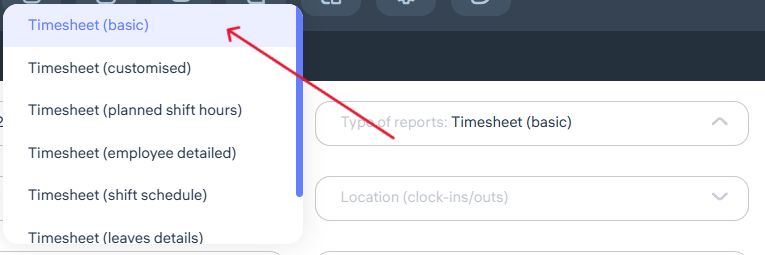
1. Timesheet (Basic)
In this report, you can include additional employee details such as Middle Name, Code, Location, Department, and Position.
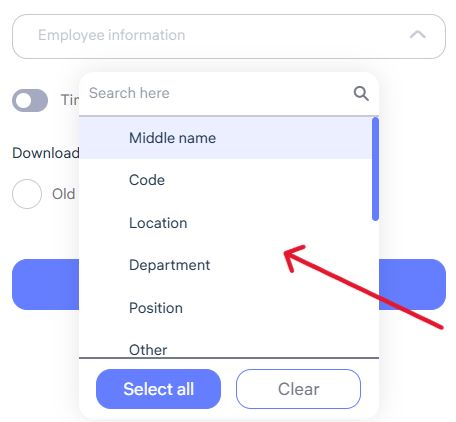
Once the required fields are selected, you can export a report that includes:
Planned working hours according to the employee’s schedule
Whether a break was included
Actual worked hours
Undertime hours
Worked hours on weekends
Temporary absences approved via requests
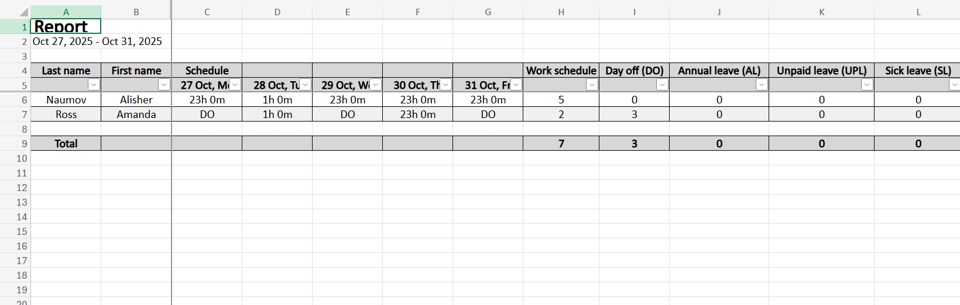
2. Customised Timesheet
This report allows you to choose which data fields to display — such as clock-in and clock-out times, total worked hours, deviations, department, position, etc.
Clockster provides 20 data fields for reporting, including:
Created schedules
Schedule types
Employee attendance (clock-in/out marks)
Planned hours according to the schedule
Actual worked hours
Overtime (hours worked beyond the schedule)
Approved overtime via requests
Undertime
Worked hours on days off
Late arrivals
Early departures
Break time
Worked hours during night shifts (according to account settings)
Days with incomplete clock-ins
All employee clock-ins with address info
Absences (according to leave schedule)
Total of worked + overtime hours
Overtime before the shift start
Overtime after the shift end
Before generating the report, you can also choose the report format: Old or New version.
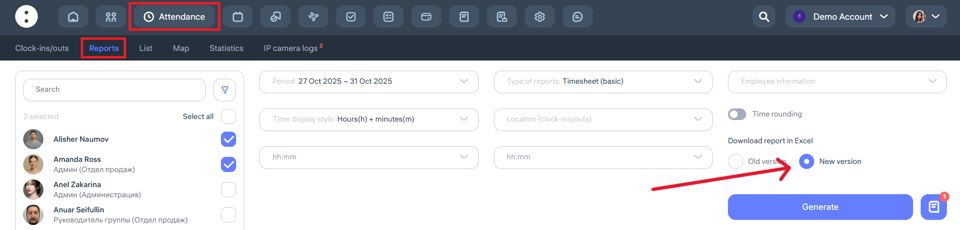
Difference between versions:
In the old version, all selected fields appear in a single table grouped by employee — allowing you to view all data at once.
In the new version, each selected parameter is shown in a separate subreport — scroll horizontally to view all data.
3. Timesheet (Planned Shift Hours)
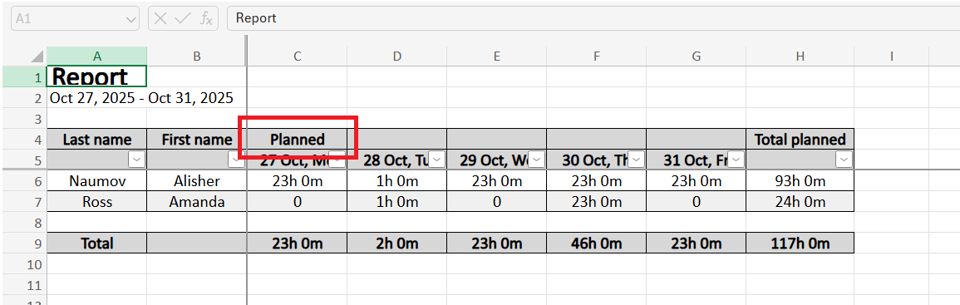
This report displays the total planned working hours for each employee according to their assigned shift schedule, regardless of actual attendance.
The report shows:
How many hours the employee was scheduled to work
Number and duration of planned shifts
Useful for analyzing workload and planning workforce capacity
Note: The “Planned” report does not include actual clock-ins or clock-outs.
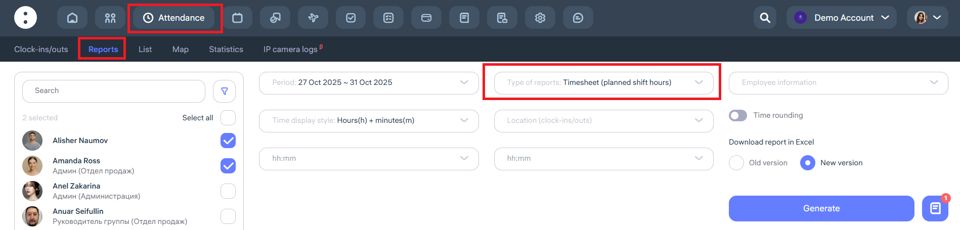
Once all fields are selected, click “Generate” — you’ll see a preview and can download it as an Excel file.
4. Timesheet (Employee Detailed)
This is a comprehensive daily report for each employee. It combines planned vs actual working times to analyze compliance and identify deviations.
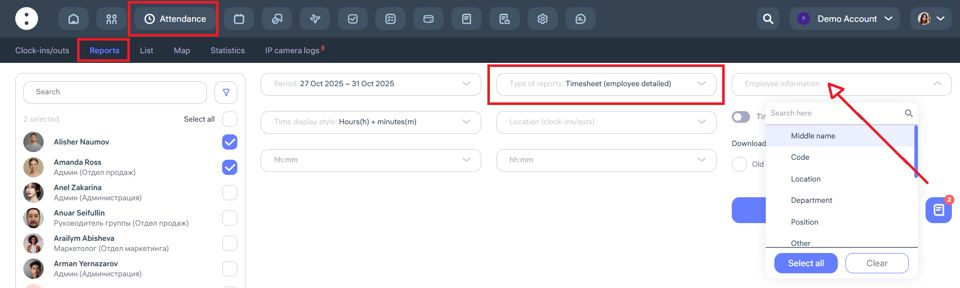
The report includes:
Employee information (optional)
Date and weekday
Planned start and end times
Actual clock-in and clock-out times
Total worked hours
Duration of lateness, early departures, and overtime
5. Timesheet (Shift Schedule)
This report displays the planned distribution of employee shifts for the selected period. It shows on which days and hours each employee is scheduled to work.
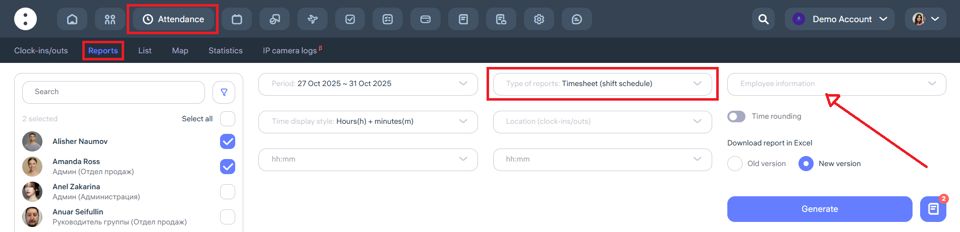
The report includes:
Weekends, holidays, and absences (if specified in the schedule)
Optional employee details
Dates and weekdays
Assigned shifts for each employee
Start and end times of each shift
6. Timesheet (Leave Details)
This report lists all periods of employee absences recorded in the system — such as vacations, sick leaves, time off, and other types of leave schedules.
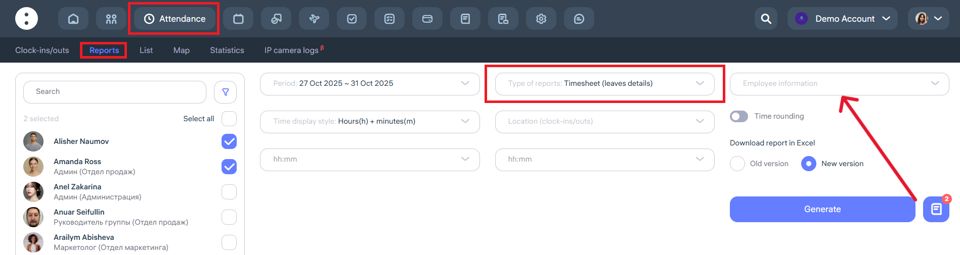
The report includes:
Optional employee details
Full name
Type of leave (vacation, sick leave, time off, etc.)
Total number of days
7. Timesheet (Man-Hours)
This report is the Clockster equivalent of a 1C work-hour timesheet.
It displays actual worked hours for employees by day within the selected period.
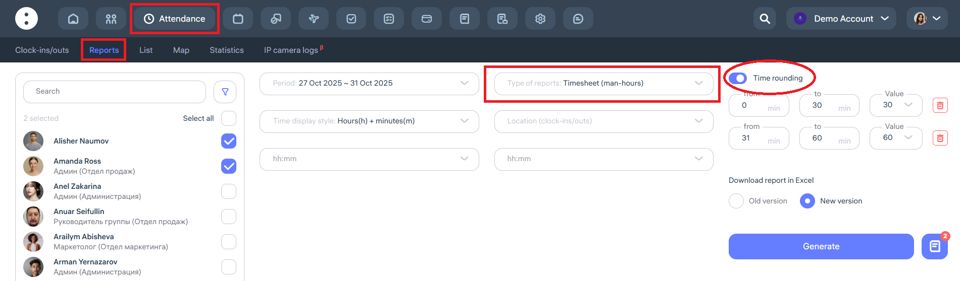
The report accounts for:
Scheduled hours
Overtime
Undertime
Lateness and early departures
Absences and leaves
The timesheet is generated automatically based on:
Clock-in/out marks
Work schedules
Leave and business trip data
This report is ideal for submission to accounting or for payroll calculation.
Updated at