
How do I create a request for Advance payment?
Open the Clockster mobile app.
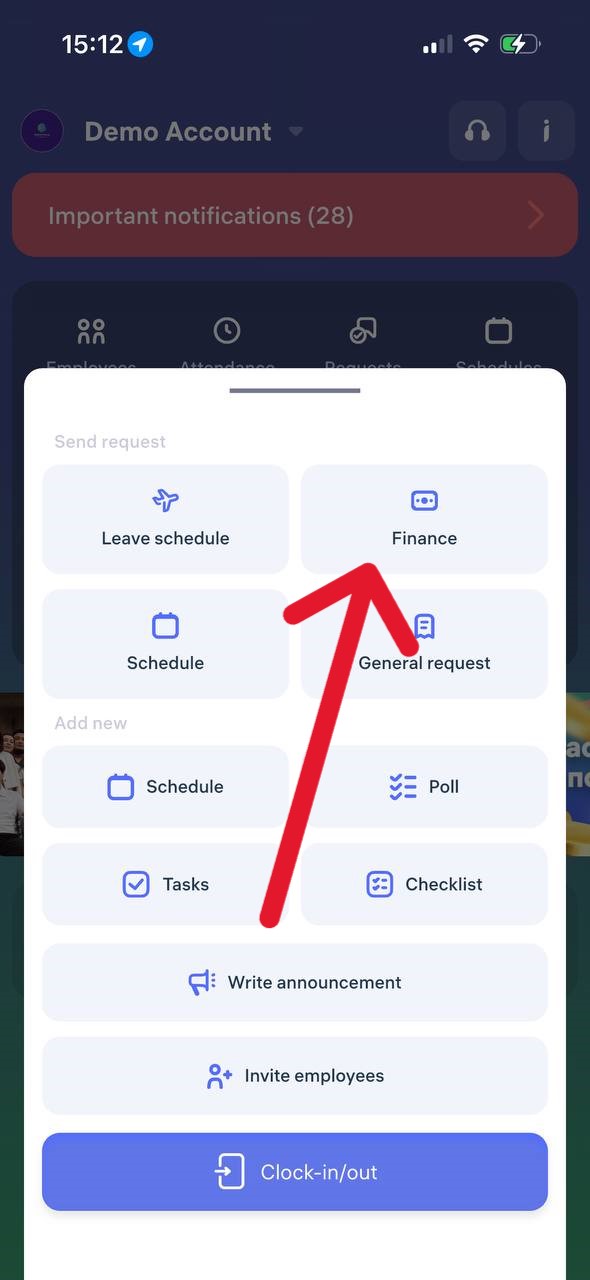
On the main page, tap the “+” button at the bottom of the screen.
In the menu that appears, select “Finance”.
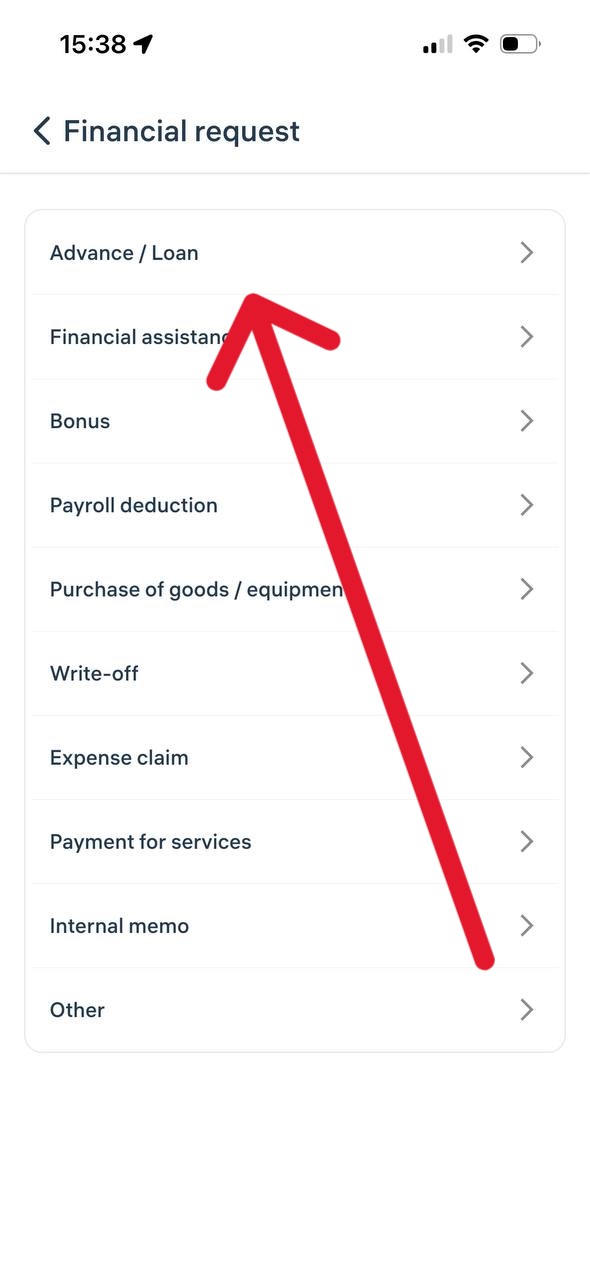
A list of financial request categories will open.
Choose the desired category, for example “Advance / Loan”.
Fill in all the required fields in the form (amount, description, and other details if necessary).
Tap “Send Request”.
Important:
– All financial requests are sent to your administrator or manager for review.
– You can track the status of your request in the “Requests” section to see whether it has been approved or not.
Updated at Link to this answer