
How do I submit an announcement?
You can create an announcement in two ways:
From the Handbook section:
Navigate to the Handbook section in the top menu.
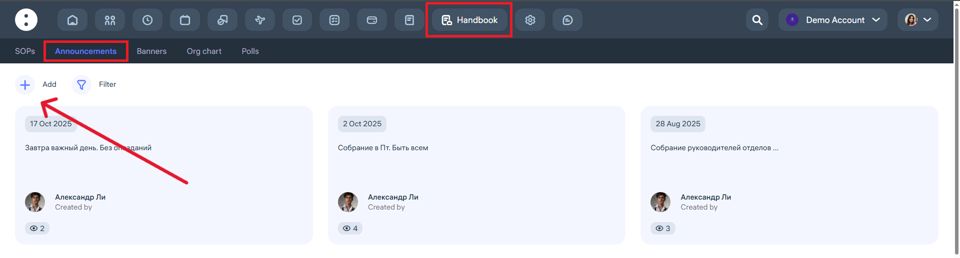
Click on the Announcements button.
Click on “+ Add” to create a new announcement.
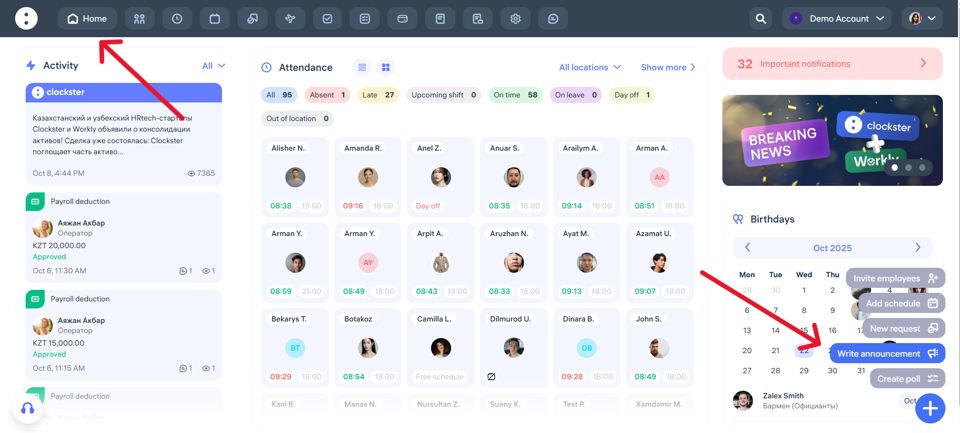
2. From the Home page:
Click the “+” button in the bottom-right corner.
Select “Write announcement.”
In the pop-up window, you can write your announcement and adjust the settings:
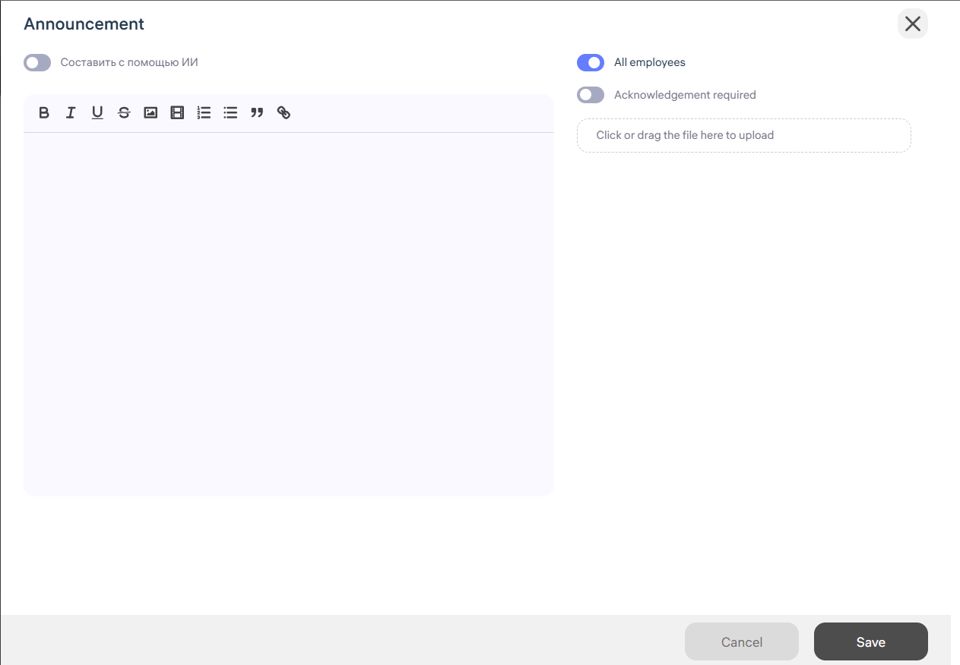
When the “Generate using AI” toggle is enabled, a prompt field will appear where you can enter a description or idea. The system will then help generate the announcement automatically.
When the “All employees” toggle is enabled, the announcement will be sent to all employees. If it’s turned off, you can select specific employees manually.
When the “Acknowledgment required” toggle is enabled, the system will show who has read the announcement and who hasn’t.
Finally, click Save to publish the announcement.
That’s it — your announcement is now created and sent!
Updated at