
Documents Section
This section in the Clockster admin workspace allows administrators to:

Upload employee documents (IDs, contracts, medical books, etc.);
View files uploaded by employees through the mobile app;
Assign mandatory documents for upload — for example, during the hiring process;
Monitor document validity and send reminders when updates are required.
What do employees see?
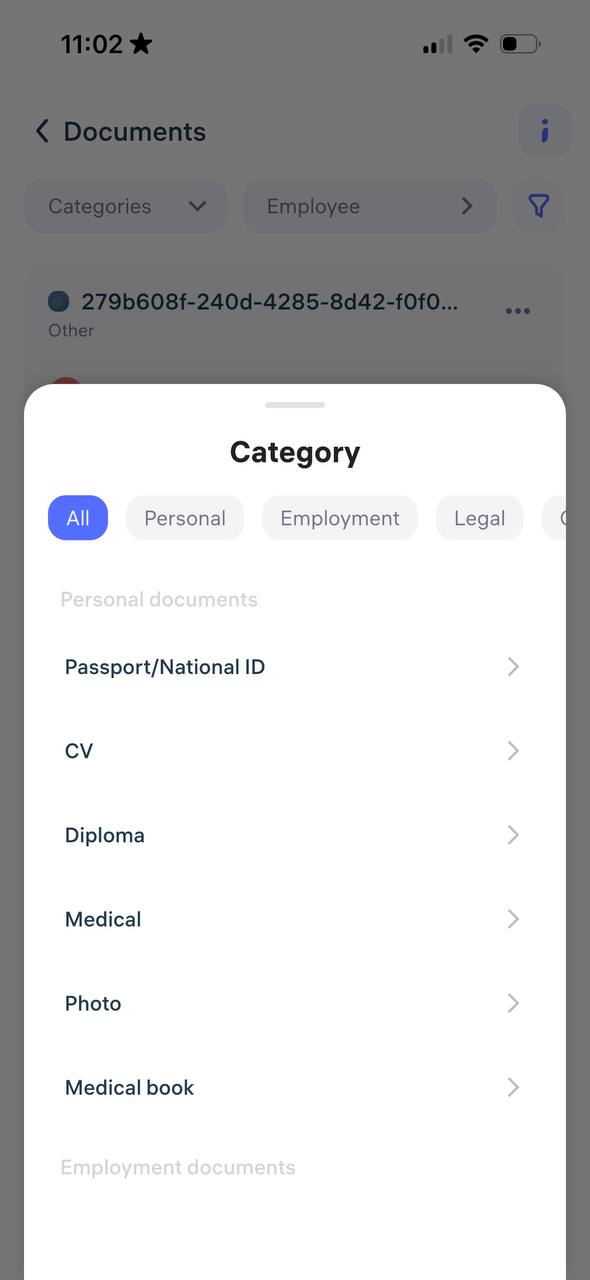
In the Clockster mobile app, employees have access to their personal “Documents” section, where they can:
Upload photos or scans of their documents;
View employment-related documents;
Access legal documents provided by the company;
Read statements, orders, and other files.
Document Signing with Digital Signature via E-gov mobile
Clockster supports a mechanism where employees can sign documents using their Electronic Digital Signature (EDS) through the official Egov mobile app (Republic of Kazakhstan).
This digital signature is legally equivalent to a handwritten one.
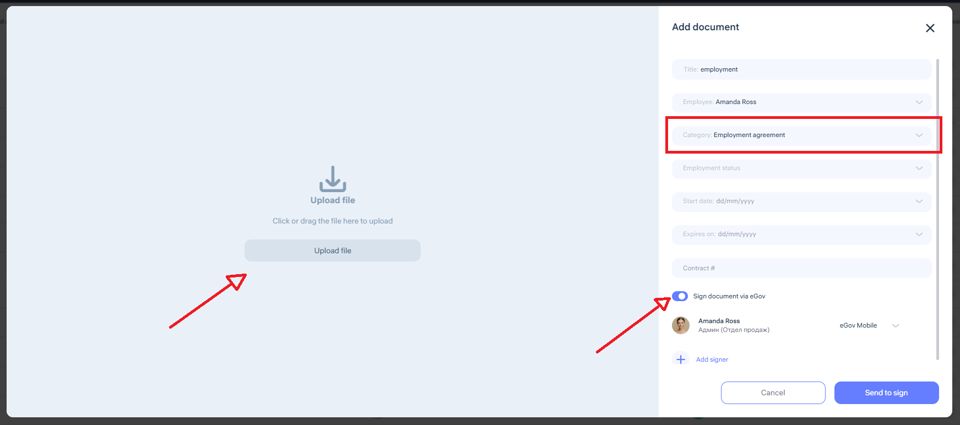
The employee receives a notification in the Clockster mobile app about a document that requires a signature.
They tap “Sign via Egov”.
The system redirects them to the Egov mobile app, where their EDS is already stored.
Once the employee confirms, the document is signed, and this action is automatically recorded in the system.
Advantages
Legal validity — digitally signed documents have full legal force and do not require paper copies.
Time and paper savings — especially useful for bulk notifications.
Security — Clockster does not store EDS data; all signing happens securely within the Egov app.
Archive access — all signed documents remain stored in the employee’s profile.
Important:
For all Clockster client companies in the Republic of Kazakhstan, 100 document signings per month are included as part of the annual subscription.
Updated at